Access to Agentic Systems
To access Agentic Systems, you need to enter your credentials on the Log In dialog.
Note
Your Uniphore Support Representative will provide the required URL, which is account/customer-specific.
After successfully signing in via the authentication service, you will be directed to the main Uniphore landing page.
Signing In
In your browser, enter or paste the relevant URL. The Organization Log In dialog will be displayed:
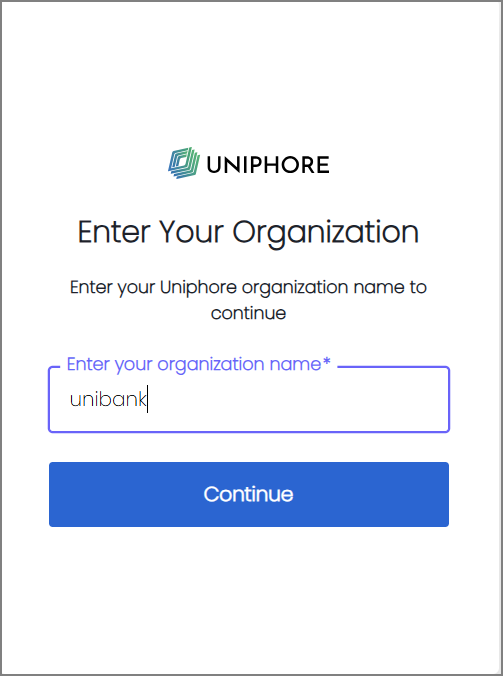
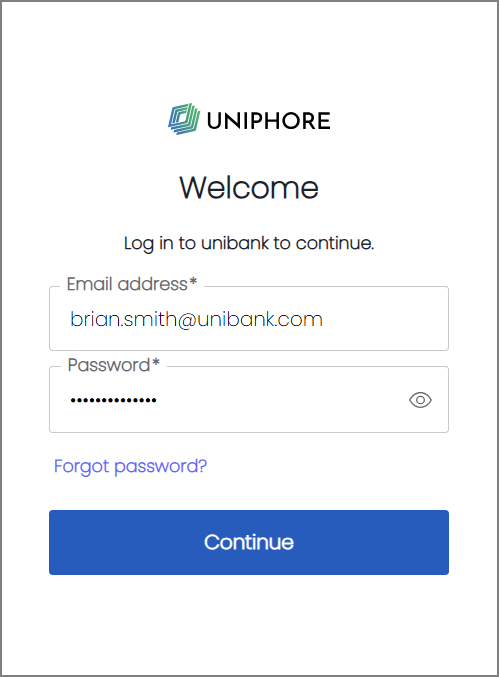
In the Organization field, enter your Account Name, and click Continue. The Welcome dialog will be displayed.
Enter your Email Address and Password, and click Continue. Upon successful login, the main Uniphore landing page will be displayed.
From the left-side navigation menu, click Agentic Systems. The Agentic Systems landing page will be displayed.
Forgot Password
The Forgot password? link on the Welcome dialog enables users who have forgotten their passwords to initiate a request for a new one. After the request is generated, the user receives an email containing a link to a password reset feature. The link will be valid for 60 minutes.